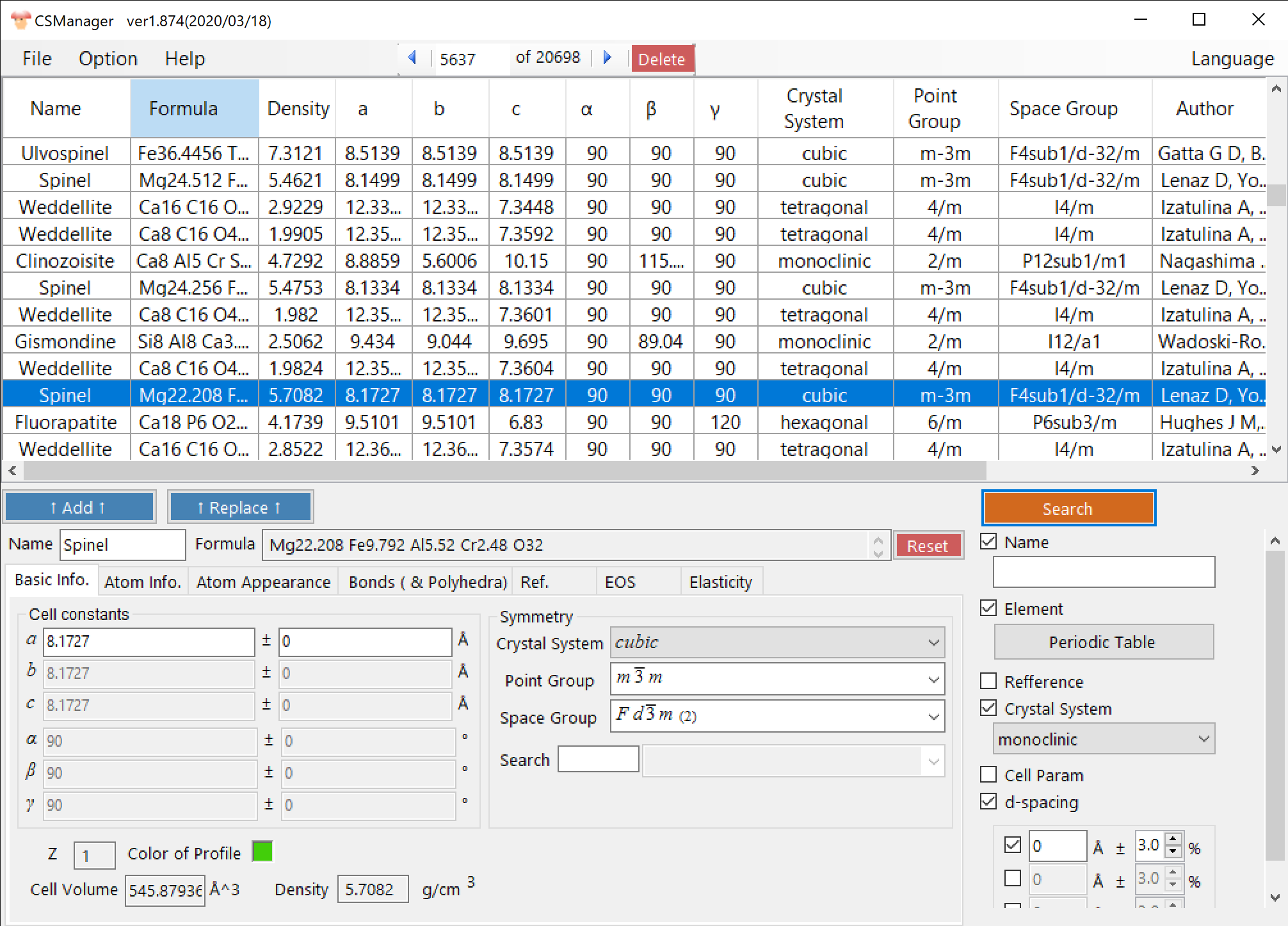
CSManager is a Windows desktop application for browsing, searching and editing large crystal structure databases. It ships with AMCSD and can download COD on demand, combining search, table browsing and crystal editing in a single window. It also imports external structure files and exchanges data with related tools.
Download & install
Get it from the latest release on GitHub.
- Normally, download and run CSManagerSetup.msi to install. On first launch you may be prompted to install the .NET Desktop Runtime 10.
- If you cannot run the MSI, extract CSManager-…-portable.zip and run CSManager.exe.
- If SmartScreen warns, choose “More info” → “Run anyway”.
What you can do
- Work with large databases
AMCSD (~21,000 entries) is bundled and can be loaded at startup, and COD (~529,000 entries) can be downloaded on demand from inside the app. - Search by many criteria
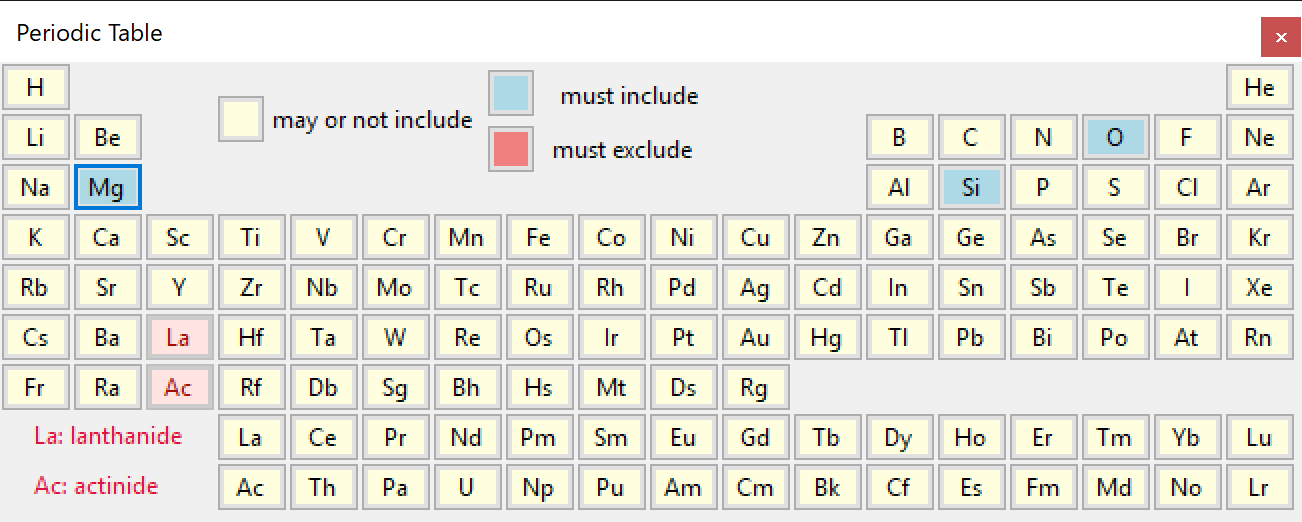
You can filter by name, reference, crystal system, included / excluded elements, lattice parameters, density and d-spacings. A periodic-table UI makes element conditions intuitive. - Browse in a table
Results are shown in a sortable database table, and AMCSD and COD can be filtered separately. - Inspect and edit crystals
You can examine and edit the selected crystal’s symmetry, atom information, bonds / polyhedra, references and density. - Import and export
You can import .cif / .amc / PDIndexer .xml, including batch folder import, and save as .cdb3 or export CIF. - Connect with other tools
The selected crystal can be sent directly to PDIndexer and ReciPro.
A typical workflow
- Load AMCSD (or enable COD if you want the larger public dataset).
- Narrow the list by composition, reference, symmetry, cell constants, density or d-spacing.
- Select a crystal in the table to inspect or edit it, then export CIF, save a .cdb3 database, or send it to another app.
Key features
Search and the database table
Multi-criteria search, including a periodic-table UI, lets you pinpoint a crystal quickly, and the sortable table lists the results. You can switch between AMCSD and COD.
Connect with other tools
Crystals you find in CSManager can be sent to PDIndexer for powder-diffraction analysis or to ReciPro for diffraction and TEM simulation, and used there directly.
Who it’s for
It suits anyone who wants to keep a large crystal structure database locally and put it to work through search and editing.
Learn how to use it
Window-by-window guides and search / editing procedures are collected in the online manual.