ReciPro is a free, open-source integrated crystallography application for researchers and students — beginners included — working with X-ray, electron and neutron diffraction and TEM. It brings together crystal-structure databases, visualization of crystal structures and goniometer settings, simulation of diffraction patterns and high-resolution microscope images, and diffraction-spot indexing, all working together in real time within a single GUI.
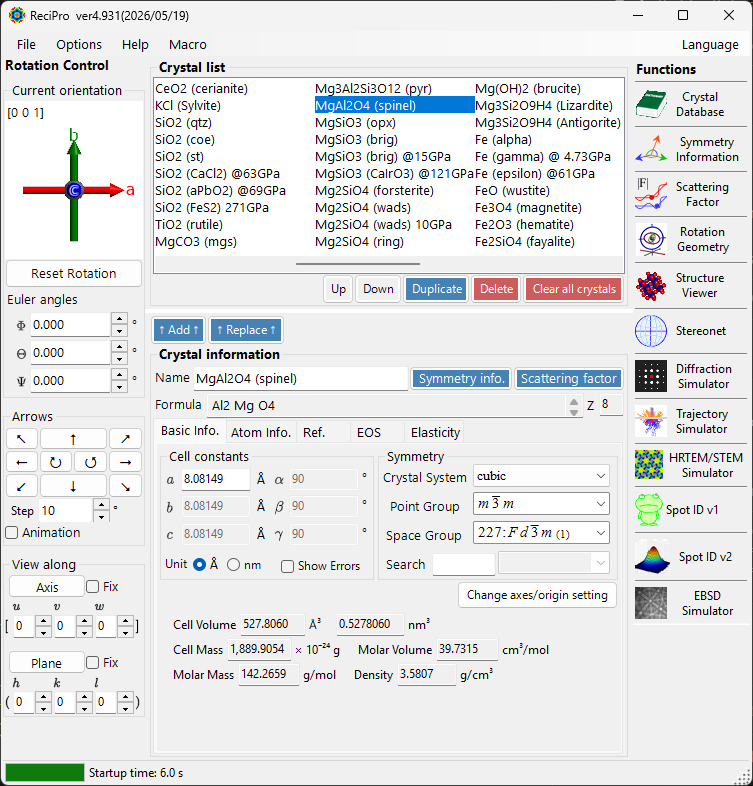
Download & install
Get it from the latest release on GitHub.
- Normally, download and run ReciProSetup.msi to install. On first launch you may be prompted to install the .NET Desktop Runtime 10.
- If you cannot run the MSI, extract ReciPro-…-portable.zip and run ReciPro.exe.
- If SmartScreen warns, choose “More info” → “Run anyway”.
Paper & citation
ReciPro’s functions and algorithms are described in detail in the following paper. If you use ReciPro in academic work, please cite this article (you can also use the “Cite this repository” link on the GitHub repository).
- Seto, Y. & Ohtsuka, M. (2022). J. Appl. Cryst. 55, 397–410. doi:10.1107/S1600576722000139
- Paper PDF: ReciProSetoOhtsuka2022.pdf
What you can do
- Find crystal structures
Over 21,000 AMCSD entries are built in and ready to use offline right after installation, and about 525,000 COD entries are available on demand. You can search by name, composition, lattice parameters, density and symmetry. - 3D structure visualization
Atoms, bonds, coordination polyhedra, unit cells and lattice planes are drawn with OpenGL in real time, staying smooth even for structures with tens of thousands of atoms. The default colors are VESTA-compatible. - Examine crystal symmetry
View the space-group symmetry-element and general-position diagrams (International Tables Vol. A style), Wyckoff positions, reflection conditions and interplanar-angle calculations. - Diffraction pattern simulation
You can simulate single-crystal diffraction for X-ray, electron and neutron beams. In addition to kinematical theory, electron diffraction uses the Bloch-wave dynamical theory (SAED / PED / CBED / EBSD). - Compute beam–crystal interactions
For X-ray, electron and neutron beams, calculate reflection structure factors, attenuation and transmission, atomic scattering factors and X-ray fluorescence (X-ray data include anomalous dispersion and absorption edges via xraylib). - TEM/STEM image simulation
HRTEM (linear / nonlinear TCC) and STEM (BF / ADF / HAADF) images are calculated with the same Bloch-wave theory. - Diffraction spot indexing
Load an experimental SAED image (TIFF / dm3 / dm4), and ReciPro automatically detects and fits the spots and searches exhaustively for the matching zone axis (Spot ID).
A typical workflow
- Pick a crystal (search the built-in database or import a CIF / AMC file).
- Rotate the crystal orientation; the stereonet, diffraction and structure windows update in sync.
- Inspect the patterns or simulated images and export them as images, vector graphics or rotation videos.
Key features
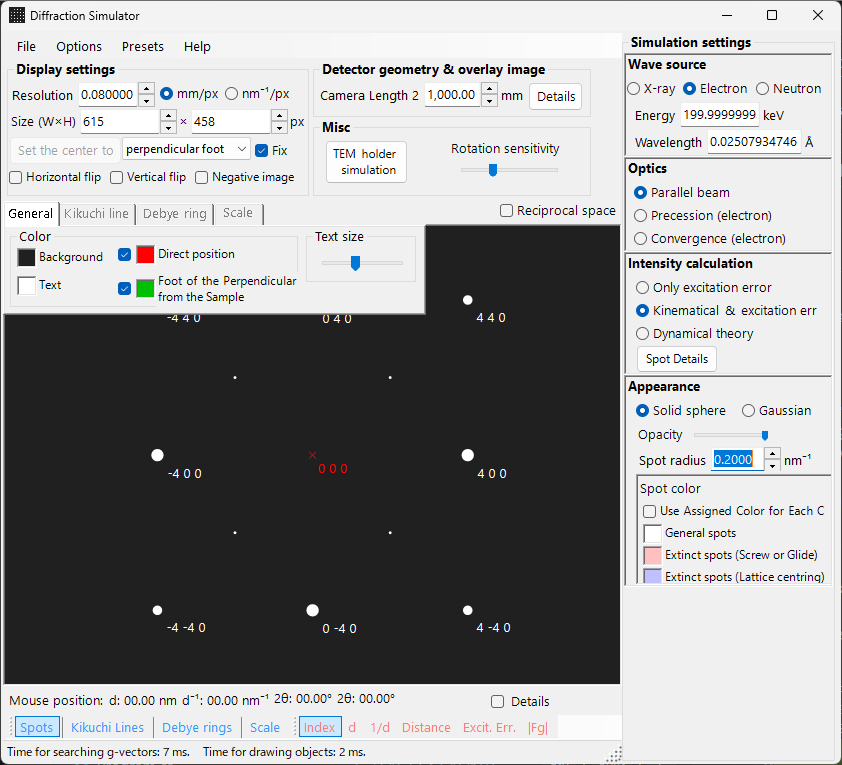
Diffraction simulator
It simulates single-crystal diffraction for X-ray, electron and neutron sources, switching between kinematical and dynamical theory for electrons.
- SAED, PED (precession electron diffraction), and CBED / PACBED / LACBED.
- Polycrystalline Debye rings, plus X-ray precession and back-reflection Laue cameras.
Beam interaction
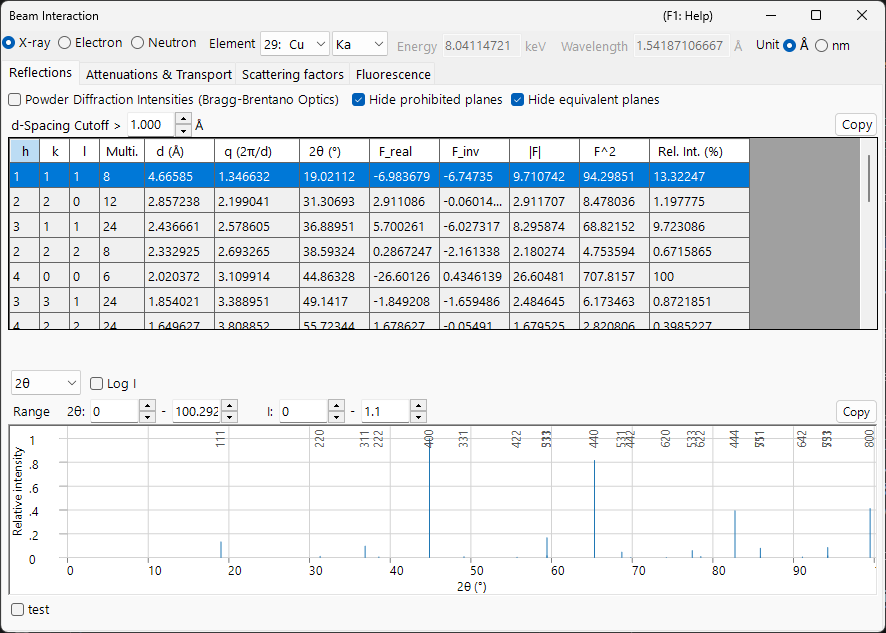
It computes how the selected crystal interacts with an X-ray, electron or neutron beam. Switch the beam at the top and the allowed reflections and their structure factors, the attenuation and transport through the material, the atomic scattering factors and (for X-rays) the characteristic fluorescence are all recalculated.
- Reflection structure factors and 2θ, attenuation length and transmission, scattering-factor curves and an EDX-style fluorescence preview, all in one window.
- X-ray quantities use the bundled xraylib library, including anomalous dispersion f′/f″, absorption edges and fluorescence yields.
Structure viewer
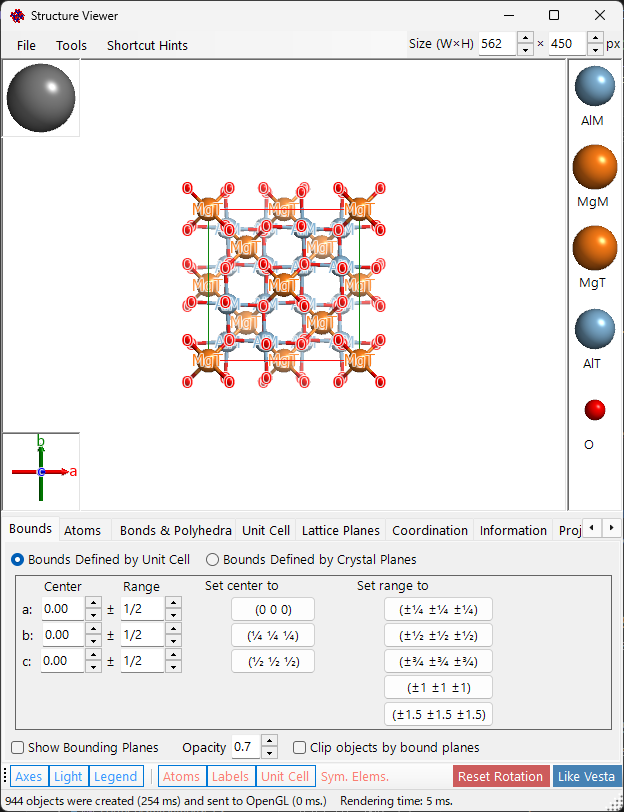
It renders crystal structures in 3D with OpenGL. Click an atom to see the distances and bond angles to its neighbors.
- Show lattice planes, boundary faces and coordination polyhedra; set the drawing range by cell multiples or plane indices.
- Generate rotation videos (H.264 / H.265 MP4) with the built-in encoder.
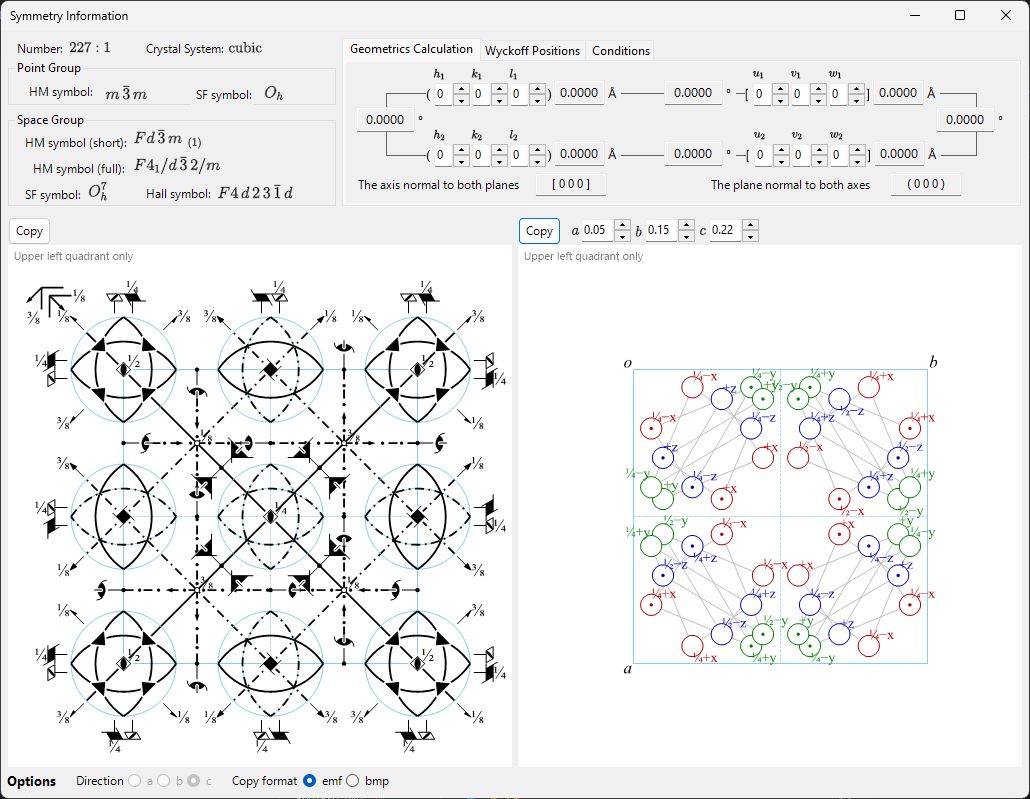
Symmetry information
It shows the space-group symmetry of the selected crystal in the style of International Tables for Crystallography Vol. A, drawing the symmetry-element and general-position diagrams together with Wyckoff positions, reflection conditions and geometric calculations.
- Copy the symmetry-element and general-position diagrams as vector (EMF) or raster images.
- Compute interplanar/interaxial angles and spacings, and the index perpendicular to two planes or directions.
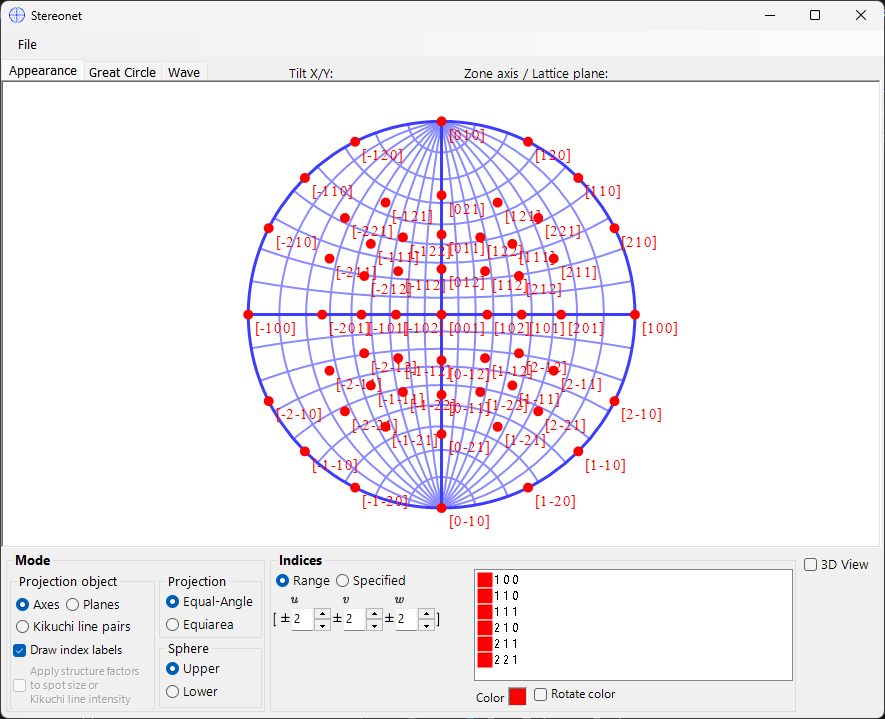
Stereonet (stereographic projection)
It projects the directions of crystal planes (hkl), zone axes [uvw] and Kikuchi lines onto a stereographic net. Drag on the net to rotate the crystal; the orientation is shared with every other window.
- Equal-angle (Wulff) and equal-area (Schmidt) projections, upper/lower hemisphere, and an optional 3D sphere overlay.
- Weight points by structure factor |F|, draw great and small circles, and save or copy as raster or vector (EMF).
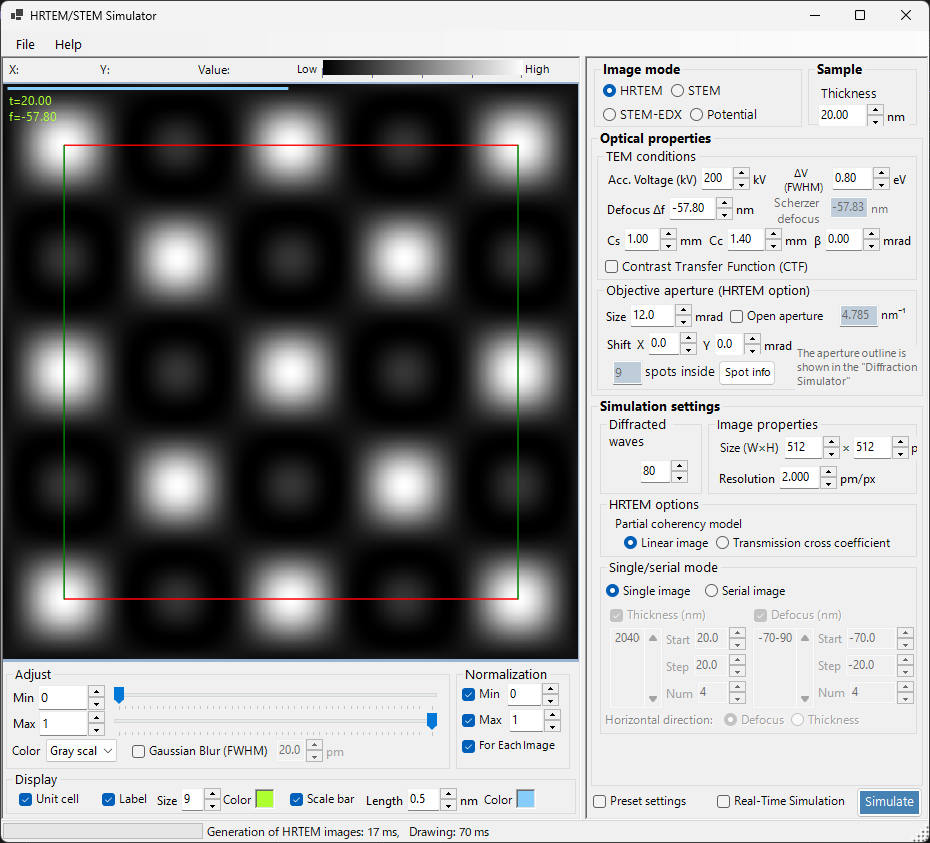
HRTEM / STEM simulator
It calculates high-resolution TEM and STEM images from the same Bloch-wave framework, including thickness–defocus series.
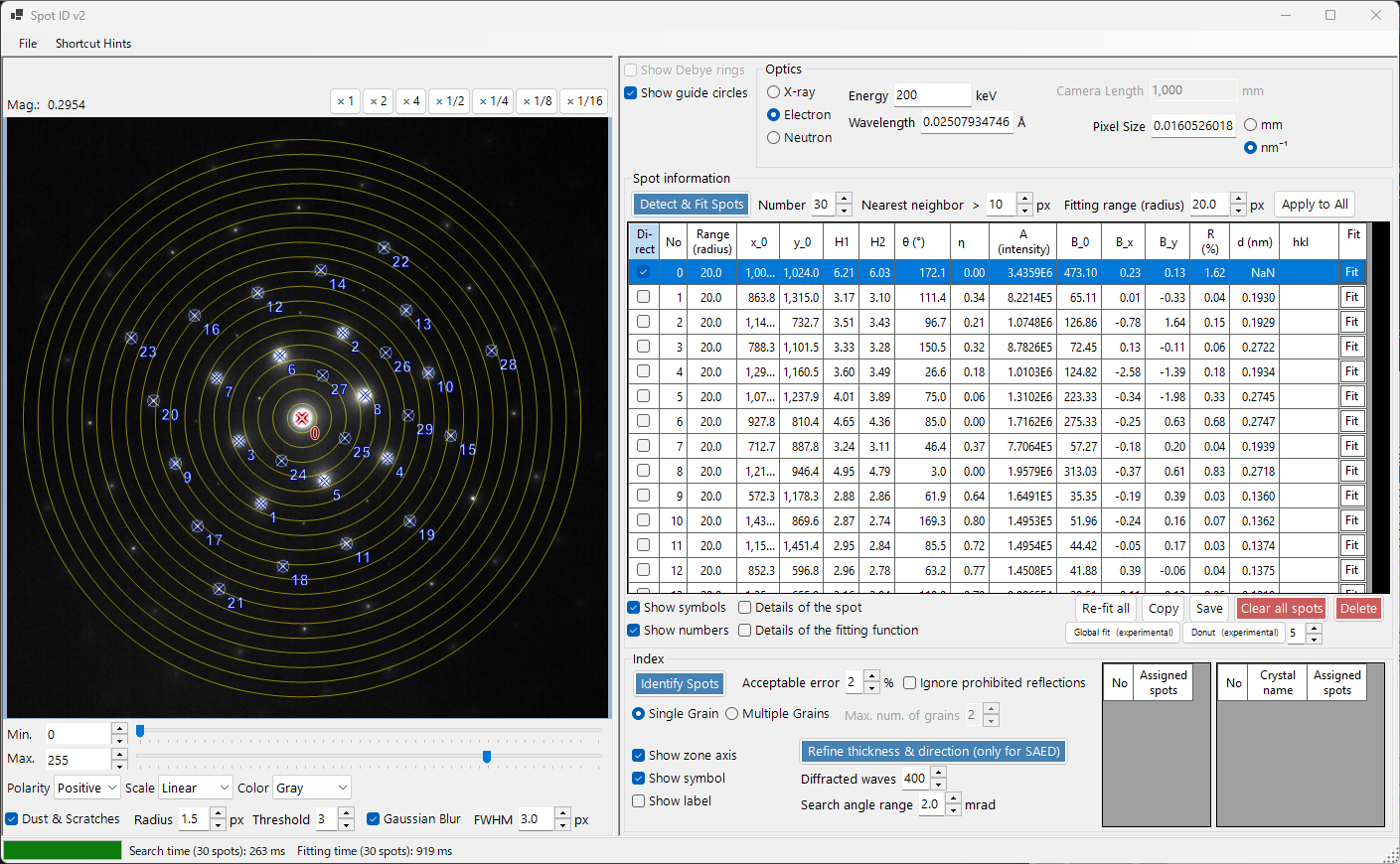
Spot ID (automatic indexing)
Load an experimental SAED image, and ReciPro determines the crystal orientation that matches the reciprocal-lattice arrangement of the spots — accurately, even for high-order zone axes.
Who it’s for
ReciPro is used by a wide range of people, from researchers in electron microscopy (TEM), X-ray/neutron diffraction and crystallography to students and newcomers. You can also automate repetitive work with Python-syntax macros — for example, rotating the crystal in 1° steps and saving the diffraction pattern or STEM image at each step.
Learn how to use it
Tutorials, window-by-window guides and macro examples are collected in the online manual.