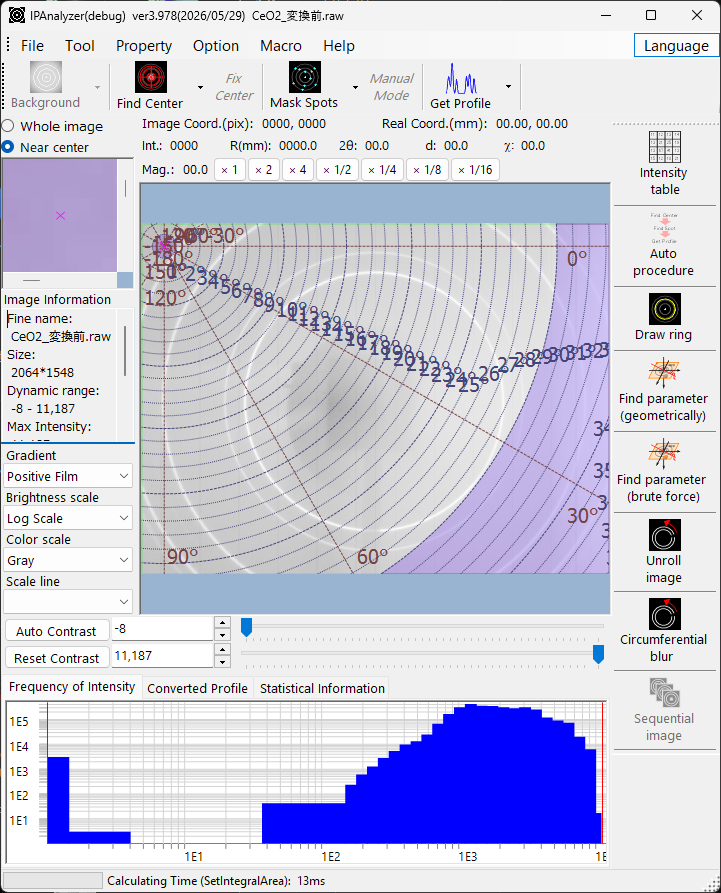
IPAnalyzer is a free, open-source application for processing two-dimensional powder-diffraction images. It converts Debye–Scherrer ring patterns recorded with imaging plates (IP) or CCD/CMOS flat-panel detectors into high-precision one-dimensional 2θ–intensity profiles, and calibrates the measurement geometry (camera length, wavelength, detector tilt, pixel shape) from the rings of standard materials. It supports X-ray, electron and neutron sources and works seamlessly with PDIndexer.
Download & install
Get it from the latest release on GitHub.
- Normally, download and run IPAnalyzerSetup.msi to install. On first launch you may be prompted to install the .NET Desktop Runtime 10.
- If you cannot run the MSI, extract IPAnalyzer-…-portable.zip and run IPAnalyzer.exe.
- If SmartScreen warns, choose “More info” → “Run anyway”.
What you can do
- Convert images to 1D profiles
It turns diffraction images into 2θ (or d-value / distance)–intensity profiles, supporting concentric integration, radial (azimuthal / cake) integration and unrolled-image computation. - Integrate at sub-pixel accuracy
Each pixel’s intensity is distributed by its intersection area with the integration steps. Because detector tilt and parallelogram pixel shapes are handled correctly, the step interval can be made as fine as you like. - Calibrate the geometry
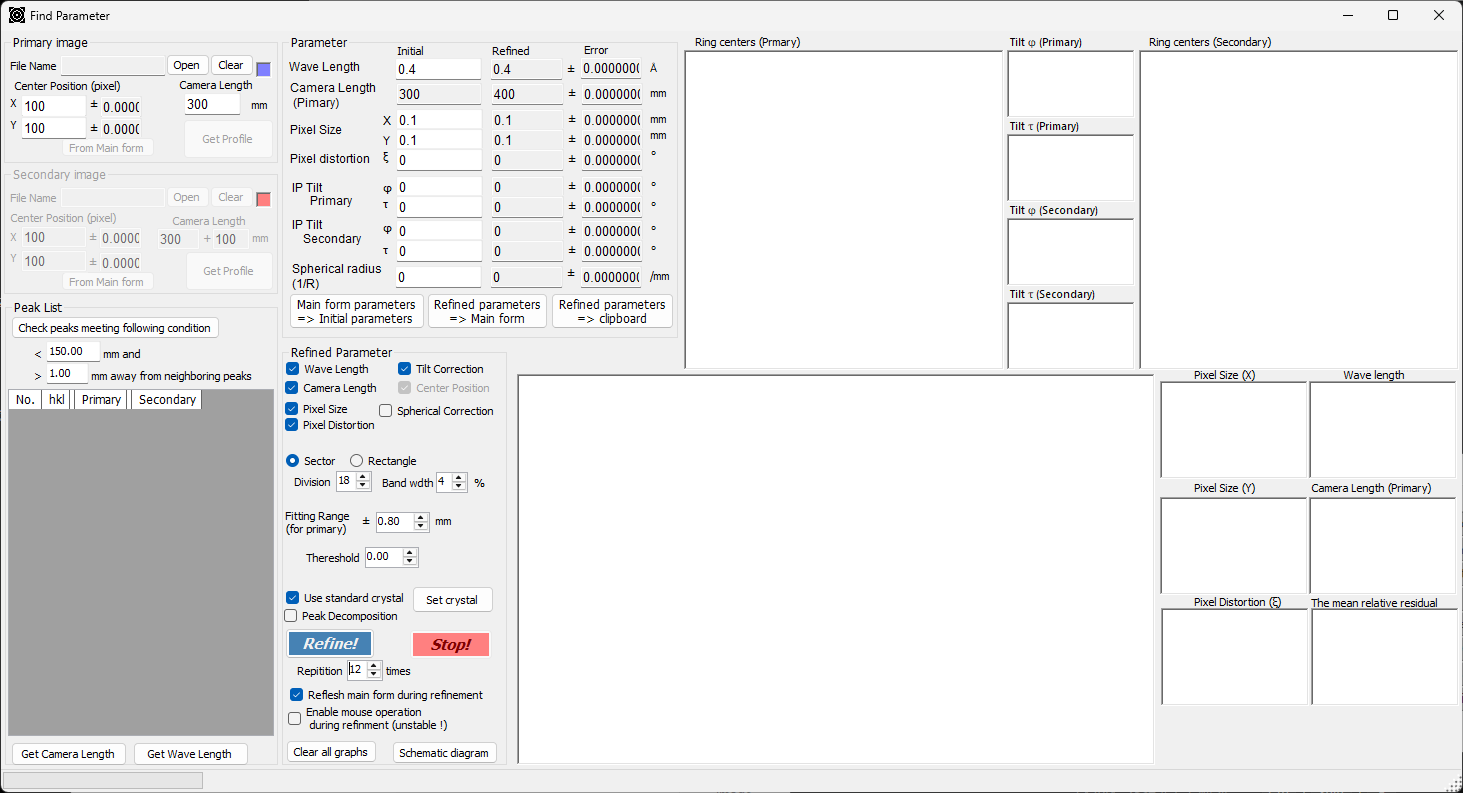
It refines wavelength, camera length, pixel size, distortion and tilt from a standard’s rings. You can choose geometric calibration, or a brute-force search that is robust to incomplete rings. - Read many detector formats
Fuji BAS, Rigaku R-AXIS, Bruker, Rayonix, MAR, Perkin Elmer and ADSC are supported, along with HDF5, NeXus, dm3/dm4 and TIFF. - Clean up images
You can use automatic beam-center detection, single-crystal spot detection and masking, manual masking, beam-stop masking, circumferential blur and ring overlays. - Automate the processing
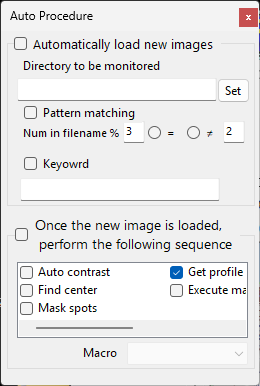
It can watch a folder and process new images automatically (auto-contrast → find center → mask spots → get profile → run macro). Python-syntax macros are also supported.
A typical workflow
- Load a diffraction image (many detector formats are supported).
- Detect the beam center and calibrate the geometry from a standard’s rings.
- Convert to a 1D profile and send it to PDIndexer via the clipboard for analysis.
Key features
Geometry calibration
It refines wavelength, camera length, pixel size and tilt (φ, τ) from a standard’s diffraction rings. A brute-force search helps with data where gradient methods struggle to converge.
Auto Procedure
It watches a folder and processes each arriving image through a defined sequence — ideal for real-time processing of continuous measurements.
Ring drawing & image correction
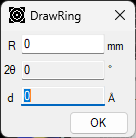
Its image tools include calculated-ring overlays, detector-response intensity calibration, and saving tilt/distortion-rectified images (IPA format).
Macro
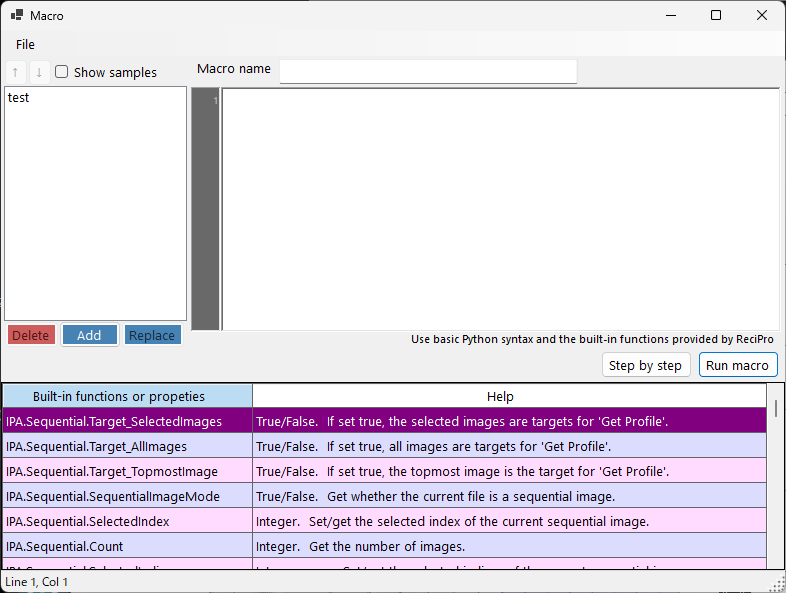
Python-syntax macros let you automate repetitive tasks such as batch conversion, azimuthal splitting, masking and format conversion.
Works with PDIndexer
The converted 1D profiles can be sent directly to PDIndexer via the clipboard, so you can continue from image acquisition to phase identification, peak analysis and lattice refinement.
Who it’s for
IPAnalyzer has been used since 2005 by researchers who reduce two-dimensional powder-diffraction images to one-dimensional profiles.
Learn how to use it
Window-by-window guides, calibration procedures and macro examples are collected in the online manual.