4.0. Overview
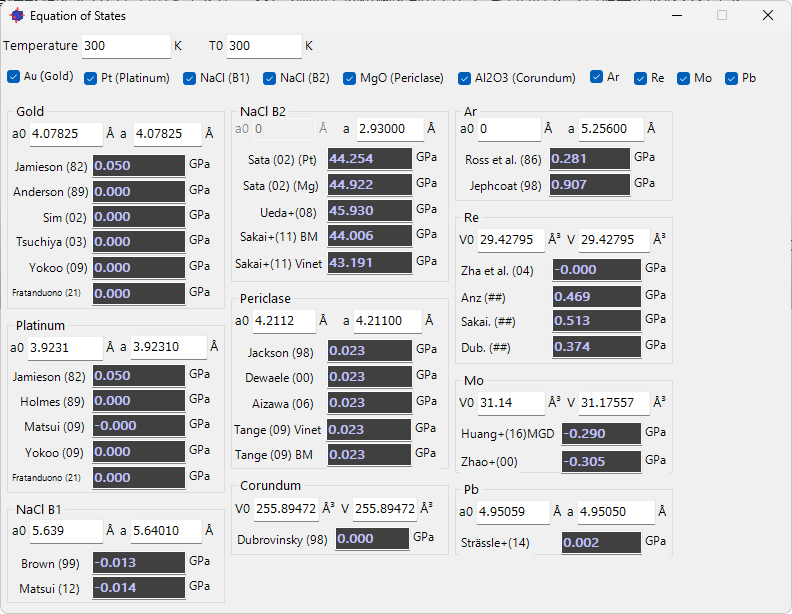
Clicking the “Equation of State” icon in the Main Window opens the screen shown above. This is a tool for calculating pressure from the equation of state of standard materials. PDIndexer has built-in equations of state proposed by various researchers for 10 standard crystals (shown with pink background in the crystal list).
Select the material for which you want to calculate pressure from the checkboxes at the top of the screen, and the results will be displayed at the bottom. You can enter lattice parameters directly, but changes are also immediately reflected when you move diffraction lines in the Main Window. For some equations of state, thermal pressure calculations are also available. Set the “Temperature” and “T0” values at the top of the screen to match your experimental conditions.
For the specific formulas of each equation of state, please see this page.