5.0. Overview
This tool performs a series of operations: fitting peak profiles with appropriate functions to determine d-values, and then using least-squares methods to determine lattice parameters. The workflow is as follows:
- Select the target crystal from the list.
- Drag the diffraction lines with the mouse to align them as closely as possible with the peaks.
- Select the indices of the diffraction lines you want to fit from the check list box.
- Once a sufficient number of independent indices are selected and least-squares calculation becomes possible, the optimized lattice parameters are displayed at the bottom right of the screen.
- Pressing the “Apply to selected crystal” button applies the lattice parameters to the crystal in the main program.
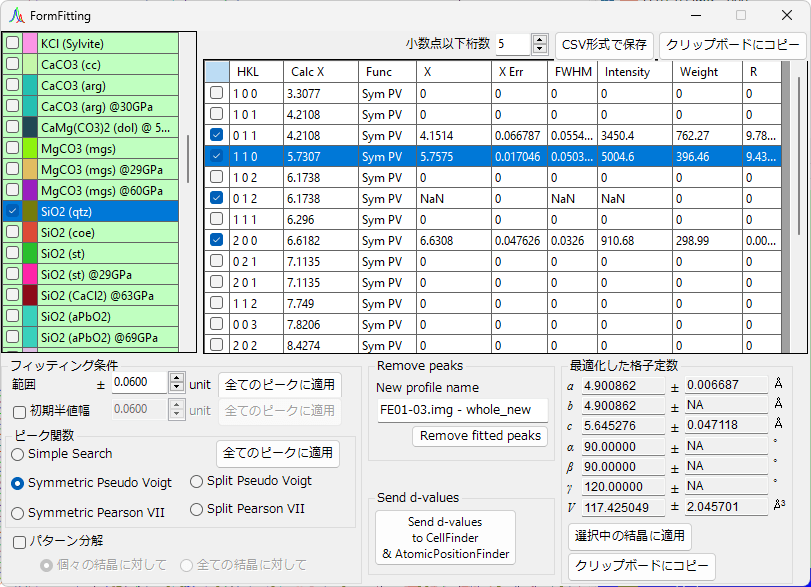
5.1. Crystal List

This is identical to the crystal list displayed in the Main Window. Check and select the crystal whose diffraction peaks you want to fit. Even if a crystal is checked, fitting will not be active unless it is also selected.
5.2. Diffraction Peak List
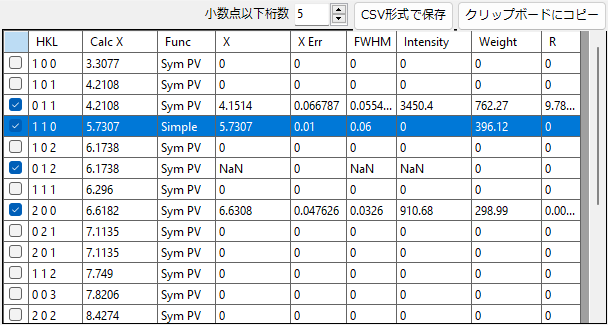
Displays the diffraction peak list for the selected crystal. Check the peaks on the left side of the list to apply fitting to them.
The table contents can be saved in CSV format or copied to the clipboard. Data copied to the clipboard can be pasted directly into Excel.
5.3. Fitting Conditions
Allows you to configure detailed settings for peak profile fitting.
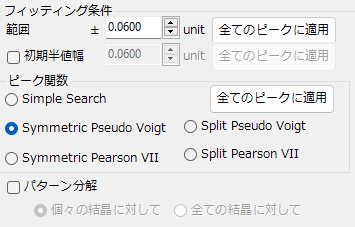
Range / Initial FWHM
The fitting is performed within the range specified by “Range” from the calculated diffraction line position.
”Initial FWHM” specifies the initial full width at half maximum of the profile function.
Pressing the “Apply to all peaks” button applies the specified range and initial FWHM to all peaks.
Peak Function
Simple Search
Identifies the point with the highest intensity within the “Range” from the current diffraction line position as the peak position.
Symmetric/Split Pseudo Voigt / Pearson VII
Performs fitting using symmetric or asymmetric pseudo-Voigt or Pearson VII functions. For the specific functional forms, see this page. Unless there is a specific reason to do otherwise, the “Symmetric Pseudo Voigt” is recommended for its superior stability.
Pattern Decomposition
When two or more selected diffraction lines have overlapping “Range” values, this setting determines whether to perform peak decomposition. Selecting “For individual crystals” performs peak decomposition independently for each crystal. Selecting “For all crystals” considers range overlaps across all crystals and performs peak decomposition.
5.4. Remove Peaks
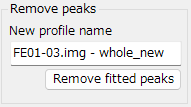
This function subtracts fitted peaks and outputs a new profile. After adjusting the peaks to subtract, specify the output profile name and press the “Remove fitted peaks” button.
5.5. Send d-values
Omitted.
5.6. Optimized Lattice Parameters
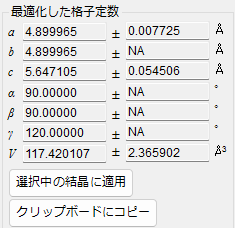
Displays the optimized lattice parameters and their errors. When the number of lattice parameter degrees of freedom equals the number of peaks, or for lattice parameters with no degrees of freedom, the error is displayed as “NA.”
To apply these lattice parameters to the currently selected crystal, press the “Apply to selected crystal” button.